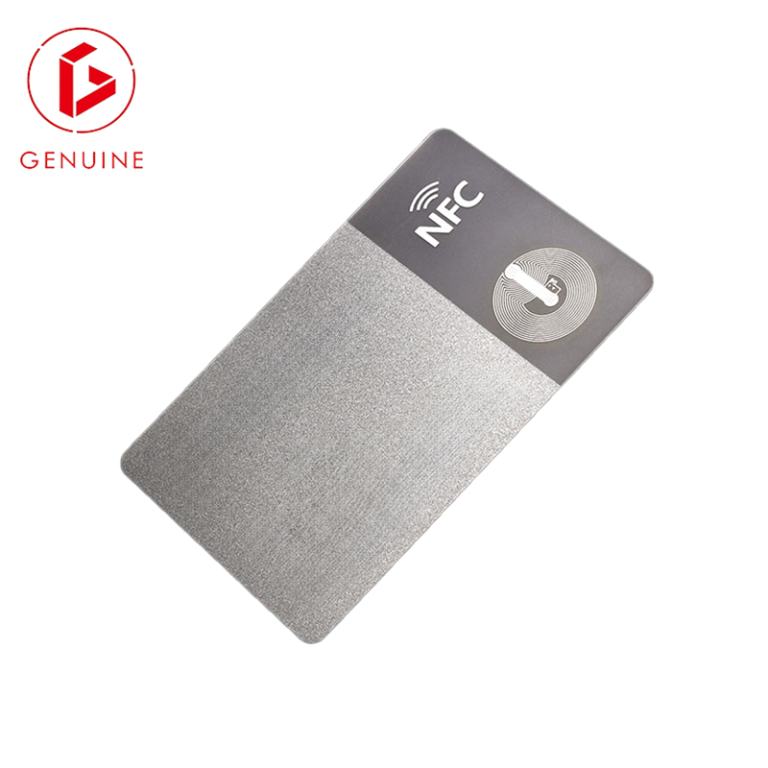
In today’s complex security landscape, employee and visitor ID cards are far more than simple visual identifiers. They are foundational tools for physical security, access control, and operational efficiency. Implementing well-designed ID card protocols is not just a best practice; it’s a critical component of a robust security posture and responsible data management. This guide outlines essential considerations for businesses of all sizes.
I. Foundational Principles: Security & Privacy First
- Data First
- Data Minimization & Purpose Limitation:
- Best Practice: Collect only the data absolutely necessary for the card’s intended purpose (e.g., name, photo, employee ID number, access level indicators employee ID number, access level indicators). Avoid storing sensitive personal data. Avoid storing sensitive personal data (SSN, full birth date, home address) directly on the card unless strictly required and encrypted.
- Why: Reduces the impact of loss or theft and ensures compliance with privacy regulations like GDPR or CCPA. The principle of collecting minimal data is a cornerstone of modern privacy frameworks ([General Data Protection privacy frameworks (General Data Protection Regulation (GDPR) Principles).
- Multi-Factor Authentication (MFA) Integration:
- Best Practice: Never rely solely on the physical ID card for high-security access. Combine for high-security access. Combine it with another factor:
- Something you know: PIN code.Something you are: Biometric verification (fingerprint, facial recognition scanfingerprint, facial recognition scan at the point of entry).Something you have: A secondary device (mobile phone for app-based approval).
- Best Practice: Never rely solely on the physical ID card for high-security access. Combine for high-security access. Combine it with another factor:

II. Card Design & Technology: Choosing the Right Tools
- Prioritize Visual & Physical Security Features:
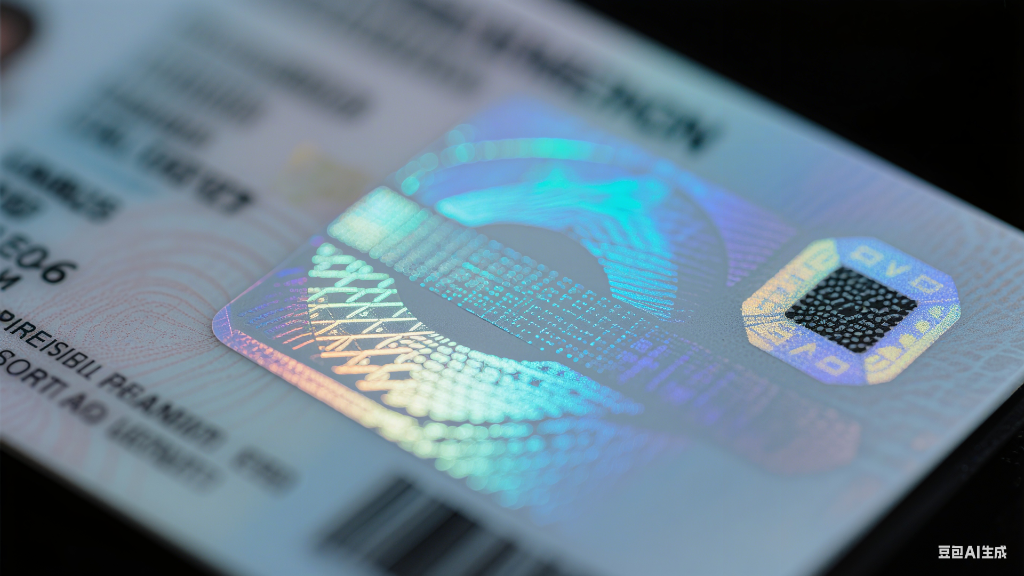
- Best Practice: Incorporate features that are difficult to replicate cheaply:
- High-Quality Printing: Use professional card printers (like those from genuine-printing.com) capable of high-resolution images, fine text, and complex designs. Avoid low-quality, easily faked cards.Holographic Overlays/Laminates: Visible security elements that shimmer and change appearance when tilted.Microtext: Tiny text that appears as a line but is readable under magnification.UV Ink: Features only visible under ultraviolet light.Guilloche Patterns: Complex, intricate background patterns difficult to photocopy or scan accurately.Tactile Elements: Raised text or braille (also aids accessibility).
- Best Practice: Incorporate features that are difficult to replicate cheaply:
- Leverage Secure Encoding Technologies:
- Best Practice: Utilize contactless smart card technology (Proximity cards, Smart Cards with chips) over older, easily cloned technologies like magnetic stripes. Securely encode data using strong encryption standards.
- Why: Smart cards offer significantly stronger security through cryptographic protocols significantly stronger security through cryptographic protocols, making cloning extremely difficult and enabling secure storage of access credentials. Magnetic stripes are highly vulnerable to Magnetic stripes are highly vulnerable to skimming attacks.
III. Issuance, Management, & Lifecycle
- Robust Issuance & Verification Process:
- Best Practice: Implement a formal, documented process for issuing ID cards:
- Require verified government-issued photo ID for initial issuance.
- Capture a issuance.
- Capture a consistent, high-quality photo (neutral background, full face visible, no hats/sunglasses).
- Have the cardholder sign for receipt.
- Train reception/security staff on visual verification techniques (checking photo, name, expiration date, security features).
- Why: Ensures cards are only issued to authorized individuals and establishes accountability.
- Best Practice: Implement a formal, documented process for issuing ID cards:
- and establishes accountability.
- Clear Expiration Dates & Renewal Policies:
- al Policies:
- Best Practice: Every ID card must have a visible expiration date. Establish and enforce a clear process for timely renewal, including reverification of identity if necessary. Deactivate expired cards immediately in the access control system.
- Why: Prevents the use of outdated cards, especially by former employees or contractors whose access should be revoked. Regular renewal prompts data review.
- Prompt Deactivation for Lost/Stolen Cards & Departing Personnel:
- Best Practice: Have a simple, well-communicated procedure for employees to report lost or stolen cards immediately. Integrate card management with HR systems to ensure instant deactivation upon employee termination or resignation.
- Why: Critical for preventing unauthorized access. Delays create significant security gaps.
- Secure Storage of Data & Templates:
- Best Practice:
- Best Practice: Protect the database containing cardholder information and the card design templates with strong access controls, encryption, and regular security controls, encryption, and regular security audits. Limit access to only authorized personnel.
- Why: Prevents unauthorized creation of cards or theft of sensitive personal data associated with the ID system.
IV. Beyond the Card: Policies & Awareness
- Mandatory Visible Wearing Policy:
- Best Practice: Enforce a strict “always visible” policy for ID cards within designated secure areas. Make it part of the company security policy and culture.
- Why: Enables easy visual verification by security personnel and colleagues, deterring unauthorized individuals from moving freely.
- Regular Security Audits & Policy Reviews:
- Policy Reviews:**
- Best Practice: Periodically audit physical access logs, review card issuance/deactivation procedures, and assess the effectiveness of security features against evolving threats. Update policies and technologies as needed.
- Why: Security is not static. Regular reviews Security is not static. Regular reviews ensure your ID card program adapts to new risks and remains effective.
- Comprehensive Employee Training:
- Best Practice: Educate all employees on: all employees on:
- The importance of the ID card policy (wearing, reporting loss).
- How to visually verify cards (checking photo, expiration, security features).
- The procedure for challenging individuals without visible or valid ID.
- The risks of tailgating/piggybacking.
- Why: Employees are the first line of defense. Awareness is crucial for policy adherence and overall security culture.
- Best Practice: Educate all employees on: all employees on:
V. The Future: Integration & Evolution
Modern ID card systems are increasingly integrated with broader Physical Access Control Systems (PACS) and even digital identities on and even digital identities on mobile devices (Mobile IDs). While physical cards remain essential, consider how your system can evolve to support secure mobile credentials and seamless integration with other security and building management systems for enhanced efficiency and user experience.
Conclusion
Implementing ID card best practices is an investment in your organization’s security, operational integrity, and regulatory compliance. By focusing on data privacy, leveraging robust physical and digital security features, enforcing clear policies, security features, enforcing clear policies, and fostering employee awareness, businesses can create a significantly stronger security posture. A a significantly stronger security posture. A well-managed ID card program is not just about identification; it’s a cornerstone of trust and safety within your cornerstone of trust and safety within your physical environment.