You specified the cards, the chips, and the printers. But the layer that actually decides whether a credential works on day one—and keeps working through re-issues, terminations, and audits—is software. A card management system (CMS) and the middleware around it are what turn a box of blank cards into a controlled, accountable identity program.
Why the software layer decides whether your cards actually work

Buyers obsess over card material and chip type, then treat issuance software as an afterthought. That is backwards. A card that cannot be enrolled, encoded, and revoked through a single controlled workflow is a liability, not an asset. The most common cause of a “failed rollout” we see is not a bad card—it is a missing or mismatched software layer that leaves HR, the access-control panel, and the printer speaking three different languages.
What you gain from getting this layer right: one source of truth for who holds which credential, an automatic audit trail for every issue and revoke, and the ability to prove to an auditor that a departed employee’s card stopped working the same hour they left. That is the difference between a card program and a security program.
What a card management system actually does

At its core, a CMS is the workflow engine that connects your identity source (HR system, student database, contractor register) to the physical card. The functions buyers should expect as standard:
- Enrolment—pull a vetted identity record and attach a photo, role, and validity window.
- Personalization—drive print and encode in one job, so the visual card and the chip data always match.
- Issue & activate—register the credential with readers, door panels, or payment switches at the moment of handover.
- Revoke & reissue—kill a lost or expired card and re-provision a replacement without re-printing the whole database.
- Audit—keep an immutable log of every action for ISO 27001 / SOC 2 evidence.
If a vendor’s “system” is really just a printer driver with a pretty front end, you do not have a CMS—you have a print button. Insist on the full lifecycle, not just the printing.
Middleware and printer drivers: the glue you forget until it breaks

Between the CMS and the hardware sit printer middleware and SDKs. This is the layer that formats a print job, loads the correct ribbon profile, and writes the chip—and it is the layer that fails silently when a driver is updated or a printer model is swapped. The single most expensive “small” mistake in a card program is letting printer middleware drift out of version lock with the CMS. When they diverge, you get half-printed cards, encoding errors, and badges that read at the bench but fail at the door.
Specify middleware as a managed component: named versions, a supported upgrade path, and a tested fallback if a printer goes end-of-life. If you are building an in-house issuance program, plan this interface deliberately rather than bolting it on—see our guide to building an ID card issuance program.
Directory and identity integration: AD/LDAP, PKI, and SSO

A card program that maintains its own separate user list drifts within weeks. The CMS must integrate with your directory—Active Directory / Microsoft Entra ID via LDAP or SCIM—so that a hire, role change, or termination flows automatically into the credential. For logical access and PKI logon, the card carries a certificate issued and validated through your public-key infrastructure; the CMS must request, store, and retire those certificates in step with the physical card.
Buyers specifying government or enterprise PKI credentials should align the CMS with standards such as NIST SP 800-73 (PIV Card Application) and the GlobalPlatform card specifications, which define how applets and secure channels are managed on the chip. These are not academic details—they determine whether your card will authenticate against the systems you already run.
Lifecycle control: issuance, revocation, and reissue SLAs

The value of a CMS shows up most clearly at the painful moments: a card is lost, a contractor’s project ends, a chip fails in the field. Define a reissue SLA in the contract—for example, a replacement issued within 24 hours and a lost card revoked within the hour. Also require that revocation propagates to every connected system (door, VPN, printer, payment switch), not just the card record. Without that, a “revoked” card can still open a door for days.
Keep the audit log as a first-class deliverable. A clean, exportable history of every issue and revoke is what turns a security audit from a fire drill into a checkbox—and it is explicit in card service-life and lifecycle standards such as ISO/IEC 24789.
Avoiding vendor lock-in: open standards and portable credentials
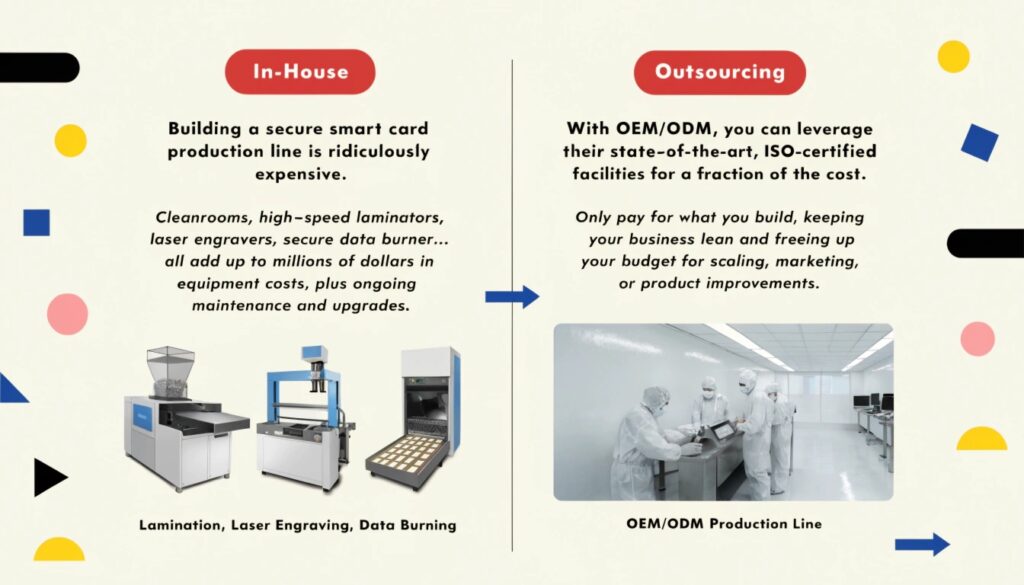
A CMS that only understands one vendor’s cards or one printer family turns a buying decision into a lifetime contract. Favour open, portable credentials: Java Card / GlobalPlatform applets, standard encoding, and exportable identity data. If you ever need to move personalization in-house or switch suppliers, portable credentials are what let you do it without re-issuing every card in the building. This matters especially during a chip or standard migration—our MIFARE Classic to DESFire migration playbook shows how a controlled platform makes that transition survivable.
How to specify the CMS in your RFQ (checklist)

Turn the vague “we need a card system” into a bid-comparable requirement. Put these in the RFQ:
- Full lifecycle (enrol, personalize, issue, revoke, reissue, audit)—not just printing.
- Directory integration: LDAP / SCIM to AD or Entra ID, with automated de-provisioning.
- PKI support aligned to NIST SP 800-73 / GlobalPlatform for PIV and PKI cards.
- Middleware version-lock and a tested printer end-of-life path.
- Revocation SLA (e.g. <1 hour) and reissue SLA (e.g. <24 hours).
- Open, exportable credential format to avoid lock-in.
- Immutable, exportable audit log for compliance evidence.
For high-assurance programs, pair the CMS spec with a key-management spec—our smart card key management buyer’s guide and our PIV/PKI FIPS 201-3 guide cover the pieces a CMS must coordinate. Request a working demo against your own directory before you sign—a CMS that cannot talk to your AD on day one will not magically learn by go-live.